Hold to reveal.
Press your mouse side button. Your personal layout appears over the active software.
 Overlay
Keep the shortcuts you know.
Stop searching for the ones you don’t.
14-day trial · No payment required · Approval required
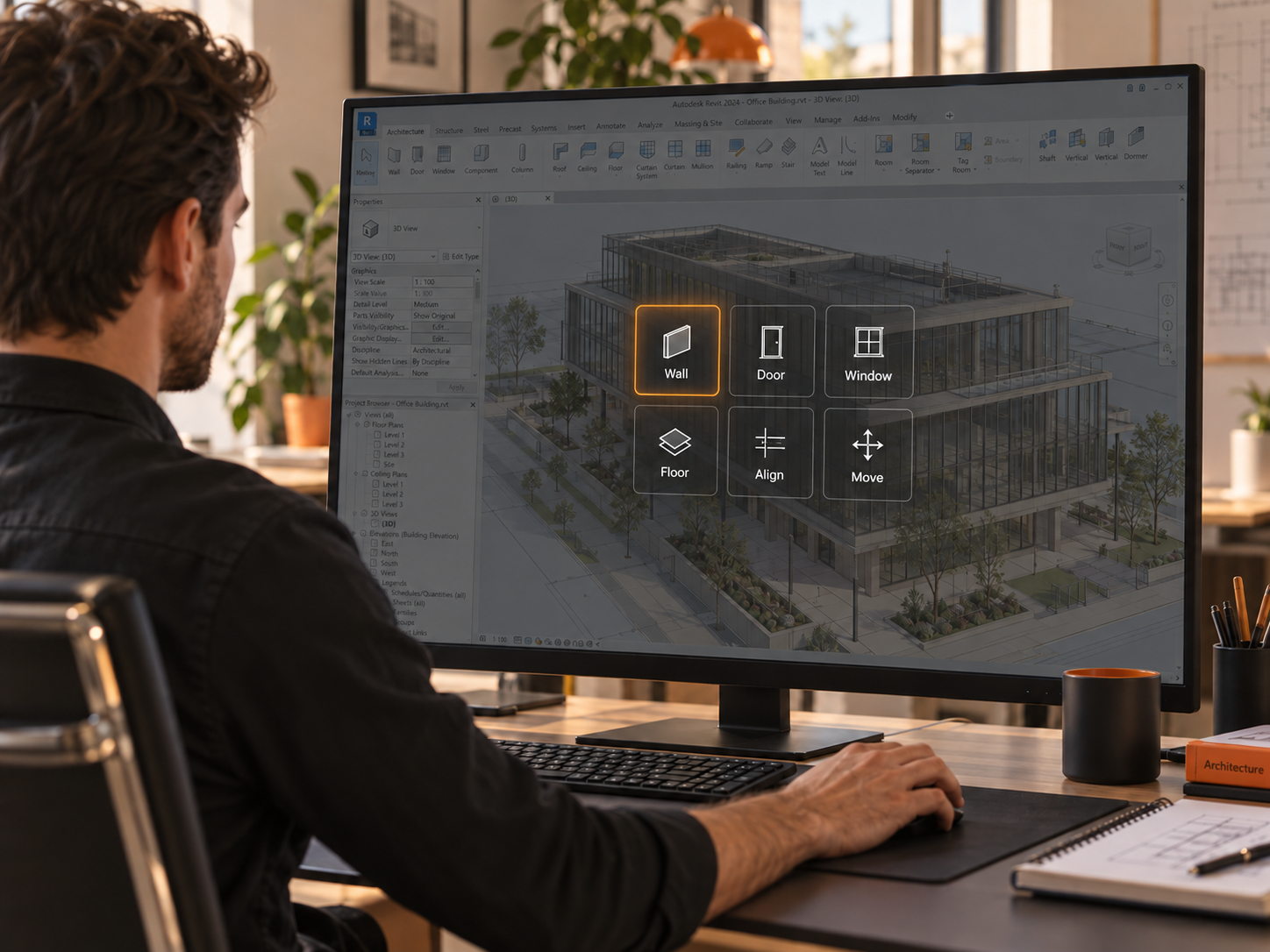
Illustrative product scene. Interface details may vary.
One familiar gesture.
Across the tools you use.
 Fusion 360
 Revit
 AutoCAD
 BlenderGrasshopper
A SMALL GESTURE. A BETTER RHYTHM.
Bring your tools to the work, without keeping another toolbar in view.
Press your mouse side button. Your personal layout appears over the active software.
Move to the command you want. Icons and names help you recognize it at a glance.
Let go to run the command. Your tools step aside, and your work keeps the screen.
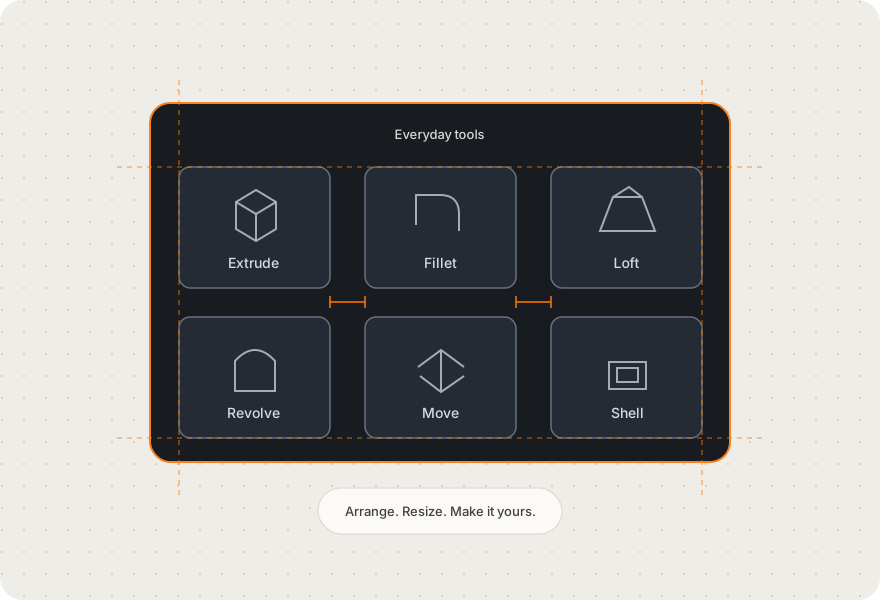
PERSONAL BY DESIGN
Start with the tools you need. Arrange them where they make sense to you. A few favorites or a complete working set—your layout grows with your workflow.
Move, resize and group icons. Use snapping to keep things orderly.
A subtle last-used highlight makes it easier to return to the tool you just used.
Bring native panels and view switching into supported software integrations.
HELP SHAPE WHAT COMES NEXT
Overlay is in private beta. We’re looking for people who want to try it in their everyday workflow and tell us where it helps—and where it gets in the way.
Request beta accessCreate an account.Verify your email and wait for approval.
Download when approved.Install Overlay on up to two authorized devices.
Activate your 14-day trial.The clock starts at first app activation, not download.
Online activation is required. After that, connect at least every 24 hours to renew access. Offline permission never extends the trial deadline.
A FEW THINGS TO KNOW
No. Keep the shortcuts you already know. Overlay gives you a visual way to reach the rest—and a mouse-first option when that feels more comfortable.
At your first successful activation inside Overlay. Creating an account, waiting for approval and downloading do not start the trial. Both authorized devices share the same deadline.
After online activation, access can remain available for up to 24 hours between checks. You must reconnect to renew it, and it always stops at the trial deadline.
Beta access stops unless the owner extends it. Your saved layouts remain yours, and layout export stays available.
Your account and licensing activity are recorded, including authorized device identities and license-check times. CAD models, file contents and typed text are not collected. Optional usage diagnostics will be explained before they are enabled. Read about data and privacy.
LESS SEARCHING. MORE MAKING.
Windows · 14-day trial after activation · Approval required


